Info Page
Image Sizes
With the current settings for each upload we’ll get:
- 400 px
- 800 px
- 1200 px
- 1536 px
- 2048 px
- Full Size webp (but reduced to max 3840 px)
- Full Size jpg not reduced
JPGS will be saved as webp, original size remains additionally as JPG.
PNGs will not be converted to webp. So usually we should not upload PNG.
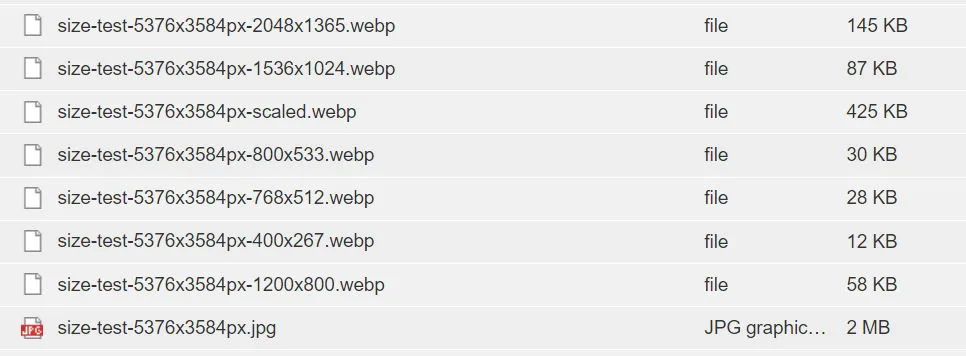
Image Settings Explained
- RMS disabled all Avada image sizes in Avada Options – Performance. This is new in Avada, so from now on we do not need the ThumbPress plugin anymore.
- Also, per Avada Options – Performance sizes larger than 3840px will be reduced to 3840px. If an original size is reduced to 3840 px, WP will add „-scaled.webp“ to the file name.
- RMS added code to functions.php that disables the default WP size 768 px.
- Now WP creates the images sizes we set in Settings – Media, i.e. 400 px, 800 px and 1200 px, plus WP default 1536 px and WP default 2048 px.